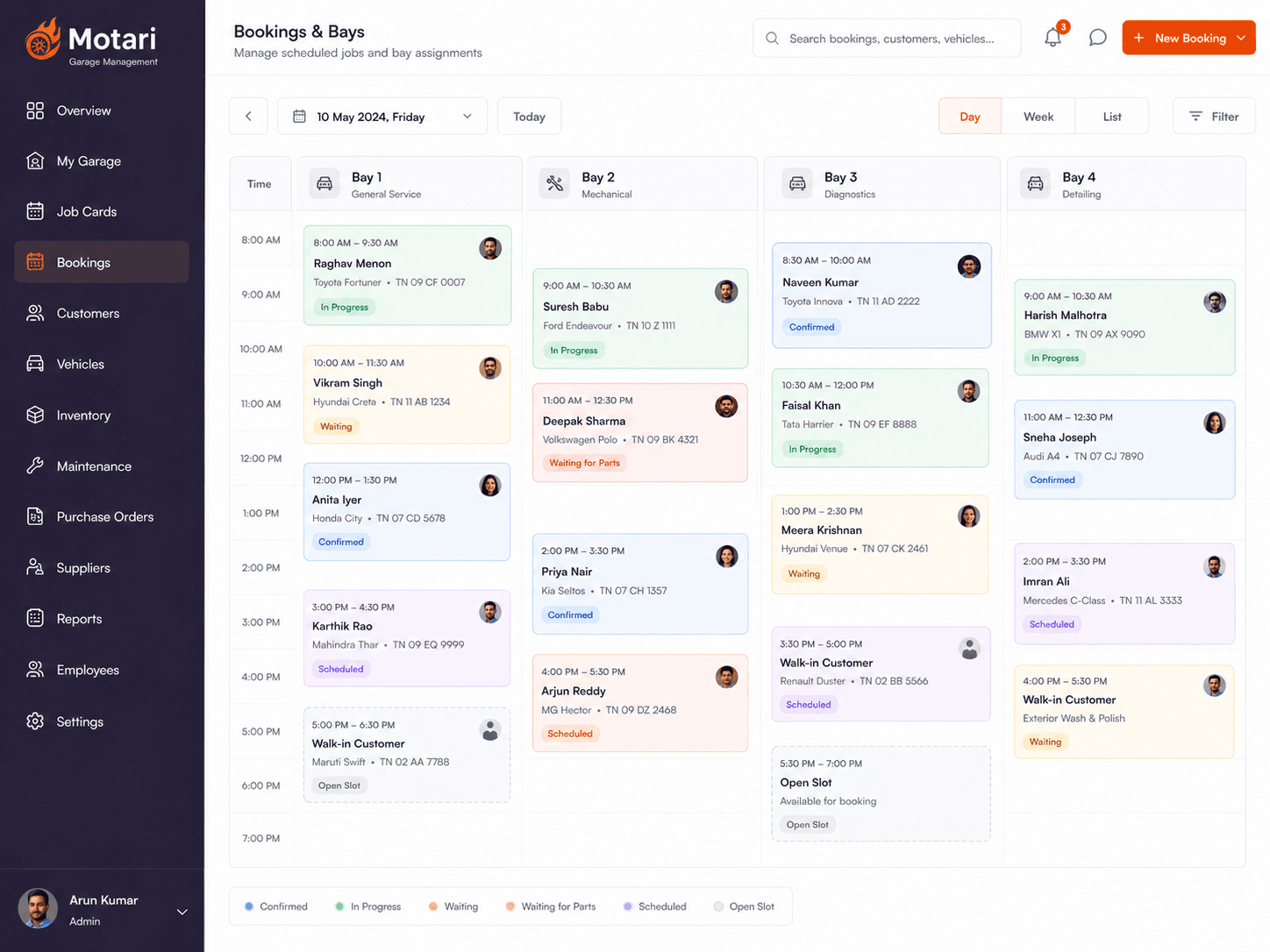
The whole workshop on one board
See every bay, every booking and every technician at a glance, and plan the day in minutes instead of guesswork.
How it works
How bookings & bays works
See the day
Every bay and every booked job laid out on one board.
Place the job
Drop it into a bay and a time that is genuinely free.
Rebalance as the day moves
Reassign to another technician or ramp when a job overruns.
Answer the next caller
Quote a slot from the board rather than from memory.
Today
What this replaces
- Two cars booked into the same ramp at the same hour
- Bays sit idle while the queue outside grows
- Nobody can say whether one more job will fit today
Bookings & Bays
How it works
What Bookings & Bays does
Every bay in one view
The day laid out by ramp, so gaps and clashes are obvious immediately.
Assign and rebalance fast
Move a job to another technician or another bay without redoing the schedule.
Know your real capacity
Take the booking only when there is genuinely room for it.
What you get
Included with bookings & bays
- Every bay on a single view
- Jobs assigned to a named technician
- Clashes visible before they happen
- Move a job without rebuilding the day
- Capacity you can quote from with confidence
- Online bookings drop straight onto the board
Common questions
Yes — bays are yours to define, so a ramp, a wash bay and a paint booth can sit on the same board with different job types.
See it on your own jobs
Book a 20-minute demo on WhatsApp and we will walk through it with a real job from your workshop.